

v0.1.0A bedtime story about privacy, free and MIT licensed
Cookie consent that keeps trackers outside the gate until visitors say yes
cookieowl is a free cookie consent banner for LGPD and GDPR. Analytics, pixels and heatmaps wait at the gate until their category is accepted, Google Consent Mode v2 is wired in, and the whole town runs on one script tag.
<script src="https://cdn.jsdelivr.net/npm/cookieowl@0.1.0/dist/cookieowl.js"
  data-lang="auto" data-policy-url="/privacy"
data-consent-mode data-auto-block></script>Chapter ILive demo
The street at night, where trackers knock and wait
This is the real cookieowl, guarding a pretend coffee shop. Four tracker bugs and a video wait at the gate. Accept a category and the lamp for it lights up, the gate opens and only those bugs fly in. The logbook writes down everything that tried to get through.
- Necessaryalways
- Preferenceskept out
- Analyticskept out
- Marketingkept out
Small batch, roasted at night
Coffee for people who stay up late
A pretend shop with four pretend trackers. None of them may come in until you say so.
Chapter IIHow blocking works
One night in the life of a tracker
A banner that only hides itself does nothing for privacy. cookieowl stops the browser from running trackers at all, and lets them in only after a choice.


Dusk
Hoot lights the lantern first
Put the script tag at the top of
<head>, withoutasyncordefer. Consent Mode defaults and the auto blocker are in place before anything else runs.<script src="https://cdn.jsdelivr.net/npm/cookieowl@0.1.0/dist/cookieowl.js" data-consent-mode data-auto-block></script>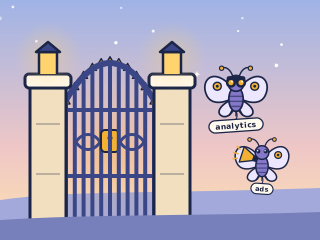
Midnight
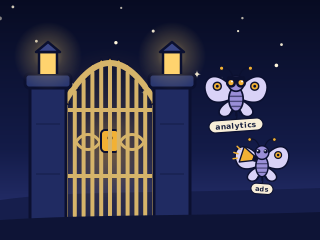
Trackers wait outside as plain text
Give each tracker
type="text/plain"and a category. Browsers do not run text, so nothing is requested. Embeds keep their address indata-cookieowl-src.<script type="text/plain" data-cookieowl="analytics" src="https://www.googletagmanager.com/gtag/js?id=G-X"></script> <iframe data-cookieowl="marketing" data-cookieowl-src="https://youtube.com/embed/ID"></iframe>

Morning
A choice opens the gate
On consent, each accepted script runs in document order, waiting for the one before it. Withdrawal sweeps out the category cookies and reloads the page.
cookieowl.on('change', ({ accepted }) => {
  console.log('now allowed:', accepted);
});
The usual suspects
Load cookieowl first with data-auto-block and these 11 tracker patterns are held by URL, even when a vendor snippet sneaks them in. Video embeds become a click to load placeholder.
- WantedGoogle Analyticsanalytics
- WantedGoogle Tag Manageranalytics
- WantedGoogle Adsmarketing
- WantedMeta Pixelmarketing
- WantedMicrosoft Clarityanalytics
- WantedHotjaranalytics
- WantedLinkedIn Insight Tagmarketing
- WantedTikTok Pixelmarketing
- WantedYouTubemarketing
- WantedVimeomarketing
Chapter IIIConfigurator
The lantern workshop: build your snippet
Pick the language, the look and the categories. The lantern glows in your accent color, one gem per category, and the snippet below it is ready to copy. Try it on the demo street before you take it home.
A box banner in the visitor's language
- Necessary
- Preferences
- Analytics
- Marketing
Load it as the first script in <head>, then mark your trackers with type="text/plain" and data-cookieowl.
Chapter IVWhat Hoot guards
Twelve promises Hoot keeps every night
Everything a consent banner should do, in one small file.
Real blocking before consent
Marked scripts and iframes stay inert, then run in document order once their category is accepted.
Auto mode for known trackers
Google Analytics, Tag Manager, Meta Pixel, Clarity, Hotjar, LinkedIn and TikTok are caught by URL, even when a snippet injects them.
Google Consent Mode v2
Denied defaults with wait_for_update, region defaults, an update on every choice and a dataLayer event for Tag Manager.
Click to load embeds
YouTube and Vimeo iframes become a placeholder with Load once and Allow marketing cookies.
Categories and services
Necessary, preferences, analytics, marketing and your own, each with services, cookies and durations.
Records for audits
Version, timestamp, random consent id and method in a first party cookie, plus an onConsent hook for your log.
Withdraw as easily as giving
A floating owl reopens the preferences anywhere, and withdrawal erases cookies and stops scripts.
Privacy signals respected
Global Privacy Control is honored by default, Do Not Track when you turn it on.
Accessible, no dark patterns
Focus trap, keyboard, screen reader labels, Reject as prominent as Accept and no pre-ticked boxes.
Five languages, LGPD and GDPR
Portuguese with LGPD wording, English, Spanish, French and German, RTL safe, every text overridable.
Themed by one color
Light and dark mode out of the box and a --seed color for the accent, in a scoped stylesheet.
One small file
About 15 kB gzip, no dependencies, no requests of its own, no account and no server.
Chapter VInstall anywhere
Every house in town can hire Hoot
Plain HTML, React, Next.js, Vue, Angular or WordPress. The script tag works on any site, and on npm cookieowl ships ES modules, CommonJS and types, plus thin React and Vue helpers.
<!doctype html>
<html lang="en">
<head>
  <script src="https://cdn.jsdelivr.net/npm/cookieowl@0.1.0/dist/cookieowl.js"
    data-policy-url="/privacy" data-consent-mode data-auto-block></script>

  <script type="text/plain" data-cookieowl="analytics" src="/js/analytics.js"></script>
</head>
<body>
  <a href="#" data-cookieowl-open>Cookie settings</a>
</body>
</html>import { cookieowl } from 'cookieowl';
import { ConsentGate, useConsent } from 'cookieowl/react';
cookieowl.init({ policyUrl: '/privacy', consentMode: true });
export function Video() {
const marketing = useConsent('marketing');
return (
<ConsentGate category="marketing" fallback={<p>Accept marketing cookies to watch.</p>}>
<iframe src="https://www.youtube-nocookie.com/embed/VIDEO_ID" title="Tour" />
</ConsentGate>
);
}import Script from 'next/script';
export default function RootLayout({ children }: { children: React.ReactNode }) {
return (
<html lang="en">
<body>
{children}
<Script
src="https://cdn.jsdelivr.net/npm/cookieowl@0.1.0/dist/cookieowl.js"
strategy="beforeInteractive"
data-policy-url="/privacy"
data-consent-mode=""
/>
</body>
</html>
);
}import { createApp } from 'vue';
import { CookieOwlPlugin } from 'cookieowl/vue';
import App from './App.vue';
createApp(App)
.use(CookieOwlPlugin, { policyUrl: '/privacy', consentMode: true })
.mount('#app');
// In a template:
// <ConsentGate category="marketing">
// <iframe src="https://player.vimeo.com/video/123" />
// <template #fallback>Accept marketing cookies to watch.</template>
// </ConsentGate>import { bootstrapApplication } from '@angular/platform-browser';
import { cookieowl } from 'cookieowl';
import { AppComponent } from './app/app.component';
cookieowl.init({ policyUrl: '/privacy', consentMode: true });
bootstrapApplication(AppComponent);
// Anywhere: cookieowl.on('change', ({ accepted }) => console.log(accepted));<?php
// wp-content/mu-plugins/cookieowl.php
add_action('wp_head', function () {
$policy = esc_url(get_privacy_policy_url());
echo '<script src="https://cdn.jsdelivr.net/npm/cookieowl@0.1.0/dist/cookieowl.js"'
. ' data-policy-url="' . $policy . '" data-consent-mode data-auto-block></script>';
}, 1);Chapter VIWhat gets stored
A small, honest library card
cookieowl keeps one first party cookie with the choice and nothing else. No server, no fingerprint, no third party. Send the same record to your own log with onConsent when you need proof of consent.
{
  "id": "1f0c9a7e-6b2d-4c41-9a1e-3f6f0d2b8c55",
  "version": "2026-10",
  "timestamp": "2026-10-13T21:04:11.093Z",
  "expires": "2027-10-13T21:04:11.093Z",
  "categories": { "necessary": true, "preferences": false, "analytics": true, "marketing": false },
  "method": "custom",
  "lang": "pt-BR",
  "page": "/checkout"
}| Field | What it holds |
|---|---|
id | Random consent id, kept across updates on the same device |
version | The policy version the visitor agreed to |
timestamp | When the choice was made, ISO 8601 |
expires | When the banner asks again (12 months by default) |
method | accept-all, reject-all, custom or signal |
categories | Every category and whether it was accepted |
lang and page | The banner language and the path where the choice was made |
Chapter VIIGuides
The storybook shelf
Nine practical guides, from the LGPD checklist to Next.js. Each one ends with questions people really ask.

 Chapter I
The LGPD and GDPR cookie consent checklist
An interactive LGPD and GDPR cookie consent checklist: prior blocking, equal Reject and Accept, no pre-ticked boxes, withdrawal, records and Consent Mode.8 min read
 Chapter II
A cookie consent banner for the LGPD, in Portuguese, that really blocks
Add an LGPD cookie banner in Portuguese that blocks trackers before consent, follows the ANPD cookie guide and lets visitors revoke consent at any time.8 min read
 Chapter III
What makes a cookie banner GDPR compliant
What makes a cookie banner GDPR compliant: prior blocking, Reject on the first layer, no pre-ticked boxes, easy withdrawal and proof. With a free, open source setup.9 min read
 Chapter IV
Google Consent Mode v2 setup, step by step
Set up Google Consent Mode v2: denied defaults with wait_for_update, region defaults, updates on every choice, basic or advanced mode, with gtag.js or Tag Manager.8 min read
 Chapter V
How to block Google Analytics until consent
How to block Google Analytics 4 until cookie consent: hold gtag.js and the config as text/plain, catch injected tags with auto mode, and verify it in DevTools.7 min read
 Chapter VI
Cookie consent in React, without a provider maze
Add cookie consent to a React app: start cookieowl early, render embeds and analytics with ConsentGate, read choices with the useConsent hook, and block trackers.7 min read
 Chapter VII
Cookie consent in Next.js, App Router and Pages Router
Add a cookie consent banner to Next.js: load cookieowl with next/script beforeInteractive, gate Google Analytics and embeds, and read consent in client components.8 min read
 Chapter VIII
A free cookie banner for WordPress that blocks before consent
Add a free LGPD and GDPR cookie banner to WordPress without a plugin subscription: load cookieowl in wp_head, block analytics plugins and embeds until consent.7 min read
 Chapter IX
A free cookie consent script, with nothing held back
A free, open source cookie consent script with no page view limits or account: one script tag, real blocking, Consent Mode v2, five languages, under 15 kB.7 min readChapter VIIIFAQ
Questions asked by lantern light
Not finding yours? Open an issue on GitHub.
Does cookieowl really block Google Analytics before consent?
Yes. Scripts you mark with type="text/plain" and data-cookieowl="analytics" are not executed by the browser at all, so gtag.js is never requested until analytics is accepted. With data-auto-block the gtag.js and Tag Manager URLs are also caught when they are inserted by a snippet. If you use Consent Mode advanced instead, Google tags load and send cookieless pings, which you choose explicitly.
Is cookieowl free for commercial sites?
Yes. It is MIT licensed, has no paid tier, no page view limits, no account and no server. You load one file from jsDelivr or install it from npm and host it yourself.
Does it support Google Consent Mode v2?
Yes. With consentMode on, cookieowl sets ad_storage, ad_user_data, ad_personalization and analytics_storage to denied with wait_for_update before any tag runs, supports region specific defaults, and sends a consent update on every choice, including on later visits.
Is a cookie banner enough to comply with LGPD or GDPR?
No banner alone makes a site compliant. cookieowl handles the technical part: prior blocking, granular and free choice, withdrawal as easy as consent, versioned records and an audit hook. You still need an accurate privacy policy, a legal basis for each processing and a review by your own counsel. This site is not legal advice.
Where is the consent stored and for how long?
In a first party cookie named cookieowl (or localStorage if you prefer) holding the categories, a random consent id, the policy version, a timestamp and an expiry date. The default lifetime is 12 months, after which the banner asks again. Changing your policy version asks everyone again right away.
How do visitors change their mind?
A small floating owl button reopens the preferences on every page, and any element with data-cookieowl-open does the same, for example a Cookie settings link in your footer. Withdrawing erases the cookies of that category and reloads the page when its scripts already ran.
Does it work with React, Vue, Next.js, Angular and WordPress?
Yes. The core is framework agnostic. cookieowl/react adds a useConsent hook and a ConsentGate component, cookieowl/vue adds a plugin, a composable and the same gate, and for WordPress you add the script tag in the theme head. Each one has a guide.
Will it slow my site down?
The script is about 15 kB gzip with five languages, the stylesheet and the blocker included, and it has no dependencies. It must load synchronously in the head to block trackers, which costs a few milliseconds, and it makes no network requests of its own.
What happens with Global Privacy Control?
When a browser sends Global Privacy Control, cookieowl records a refusal of optional categories, does not show the banner and notes the signal in the preferences, where the visitor can still opt in. Do Not Track can be honored the same way with respectDNT.
Can I keep a consent log for audits?
Yes. Pass onConsent(record) and send each record to your own endpoint. Every record has a random id, the policy version, the timestamp, the method (accept all, reject all, custom or signal), the categories, the language and the page.