

Guide
How howlden works
How two browsers talk straight to each other, what has to happen before they can, and why that changes who can see your conversation.
Two ways to send a message
Almost every chat app you have used works like a post office. You write a message, your phone uploads it to the company's servers, and those servers deliver it to your friend, often keeping a copy so it can show up later on another device. That design is good at a lot of things: huge groups, message history, people who are offline for days.
Peer to peer (often shortened to P2P) works more like two people passing notes across a table. Your device sends the message straight to your friend's device. There is no post office in the middle sorting the mail. In howlden, that is true for text, voice, video, screen share and files: they all go from browser to browser.
The idea sounds simple, but the internet was not built to make it easy. The interesting part is everything that has to happen before those two devices can talk.
Problem one: finding each other
Your laptop does not have a public phone number on the internet. Behind your router it has a private address that only makes sense inside your home network. Your router uses something called NAT (network address translation) to share one public address among every device in the house. That is great for the router, and awkward for anyone trying to reach your laptop from outside.
So the first question a browser asks is: "what does my address look like from the outside?" To answer it, howlden asks a public STUN server (Google runs free ones). The STUN server replies with your public address and port, and that is all it does. It never sees your messages or your calls, and it is not involved once the conversation starts.
Your browser then gathers a few possible routes to reach you (local address, public address, and a relay route if you configured one) and packs them into a connection offer. In WebRTC terms these routes are called ICE candidates, if you want to read more on MDN.
Problem two: the handshake
Both browsers need each other's offer before they can connect. Most peer to peer apps solve this with a "signaling server" that quietly passes the offers back and forth. howlden has no server of its own, so it uses six words instead:
- A den member clicks Invite. howlden picks six random words and shows them, with a small QR code.
- Your friend types the six words. Both browsers derive a meeting place and an AES-GCM key from the words and meet on public MQTT relays. The offers travel sealed with that key, so the relays only see ciphertext. The words work once and expire after ten minutes.
- Your friend sees six confirmation words made from both connection certificates and reads them back. The member who invited types them, and the two browsers connect directly. A friend whose key is already known is let in on the signature alone.
You never see raw technical text, and nobody can wander into a den uninvited: without the six words, and without the inviter typing the confirmation words, there is no way in.
Problem three: keeping the line private
Once a route is found, WebRTC sets up encryption before anything else flows. Data channels (text and files) use DTLS, and audio and video use SRTP with keys agreed through that DTLS handshake. This is built into every modern browser and cannot be switched off. The result is that the connection is end to end encrypted between the two browsers.
How do you know the other end is really your friend and not someone sitting in between? howlden shows a short connection fingerprint. Read it aloud on the call or compare it on screen. If both of you see the same thing, the line is the one you think it is.
From two people to a whole pack
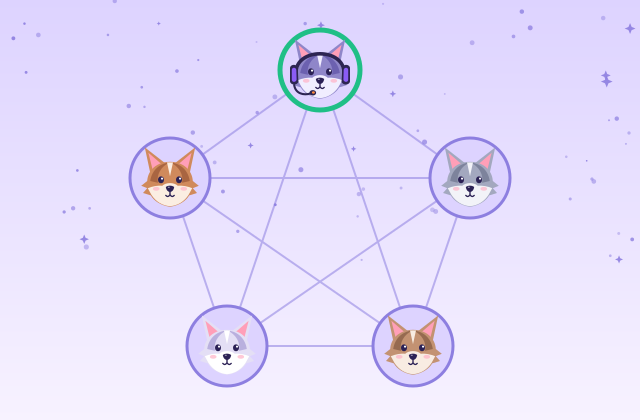
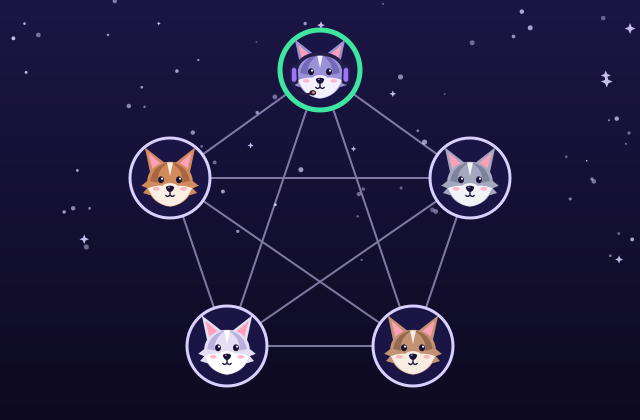
A chat between two people is one connection. A den with five people is a mesh: every member keeps a direct, encrypted connection to every other member. When a new friend joins through an invite, howlden uses the connections that already exist to introduce them to everyone else automatically, so you only do the six word exchange once per newcomer.
A mesh has a cost that grows with the group. If you share your camera in a den of five, your device sends your video four separate times, once to each friend. Audio is light, so a voice chat stays comfortable, but video eats upload bandwidth fast. That is why a howlden den holds up to 5 people. Bigger groups are a job for a server based tool, which can receive one stream and copy it out to hundreds of listeners.
When the direct path fails
Most home and mobile networks let two browsers connect directly after the STUN step. Some networks are stricter: certain office, school, hotel and mobile carrier networks use what is called strict NAT, and when both people are behind one, the direct route can fail.
The fix is a TURN relay, a server that forwards packets between the two sides. Because the traffic is already encrypted, the relay only sees scrambled packets and cannot read them. howlden notices when a connection fails, tells you in plain words, and lets you add your own TURN server in settings, stored only in your browser. The guide on when a connection fails walks through it.
The honest trade offs
Peer to peer is not "better" in every way. It is a different approach, and it shines in some places and not in others.
| Question | Server based chat | Peer to peer (howlden) |
|---|---|---|
| Who holds your messages? | The service's servers | Only the devices in the den |
| Friend offline? | Message waits on the server | Members who are online share what was missed |
| Group size | Can be very large | Up to 5 people |
| Account needed? | Usually yes | No, just a display name in your browser |
| Joining | Search or a public invite link | Six words out and six back, nobody else can find the den |
Two more things worth saying plainly. Encryption protects the connection, not your device: if a phone or laptop is compromised, no protocol can fix that. And because nothing is stored online, your name, settings and den list live in your browser's local storage, so clearing site data clears them too, unless you saved an encrypted backup file.
See it for yourself
The fastest way to understand it is to watch it happen. Open a den on your laptop, invite your own phone with the QR code, and send a message from one to the other. If you want to know how calls travel over the same connection, read voice and video calls next. When you are ready, open a den and invite a friend.
Frequently asked questions
What does peer to peer mean here?
Your messages, voice and files travel directly from your device to your friends' devices, instead of being uploaded to a company server that passes them along.
Is it safer than a server based chat app?
It removes one place where your data could be stored or read: the middle server. Every connection is also end to end encrypted by WebRTC. Your own device and browser still need to be safe, so it is a different trade off, not magic.
Why do people need to be online at the same time?
Because there is no server holding messages while you are away. When you come back, members who are online share what you missed.
Does it work on every network?
Most home and phone networks work fine. When both sides are behind a strict NAT, a direct path can fail and a TURN relay is needed. See when a connection fails.