
The iOS install flow
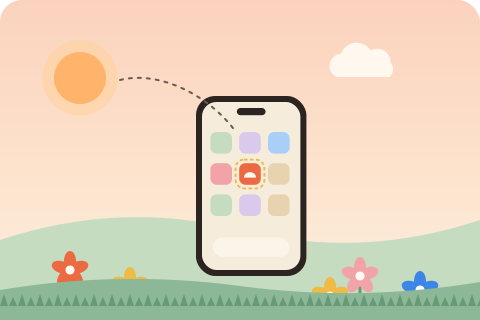
On iPhone and iPad a visitor installs a website in three taps: the Share button in the toolbar, Add to Home Screen in the sheet, then Add. Safari has offered this since the first iPhone. Since iOS 16.4, Chrome, Edge and Firefox on iOS offer it from their own share menus too. The result is an icon on the home screen that opens the site in its own window, with the same service worker and storage support as Safari.
What iOS does not have is the prompt. Android and desktop browsers fire beforeinstallprompt, which lets a page show its own install button. iOS fires nothing, and no page can open the Add to Home Screen sheet. The best a site can do is detect iOS and explain the steps.
What iOS reads from your site
iOS reads the web app manifest for name, start_url, display and scope, but for the icon and a few details it still prefers its own tags:
<link rel="apple-touch-icon" href="/apple-touch-icon.png">
<meta name="apple-mobile-web-app-title" content="Acme">
<meta name="apple-mobile-web-app-status-bar-style" content="default">
<meta name="mobile-web-app-capable" content="yes">- apple-touch-icon: a 180 by 180 PNG. iOS ignores the manifest icons when this tag exists and falls back to a screenshot of the page when there is no usable icon at all. Transparent pixels turn black, so give the icon its own background.
- apple-mobile-web-app-title: the label under the icon. Keep it short; around 12 characters fit.
- apple-mobile-web-app-status-bar-style:
default,blackorblack-translucent, which lets the page draw under the status bar.
npx installkite init writes all four tags and generates the apple-touch-icon from your logo: opaque, 180 pixels, with padding for transparent artwork and edge to edge for logos that already have a background tile.
Detecting iOS and standalone mode
To decide whether to show instructions, check two things: is this iOS, and is the site already installed?
const isIOS =
  /iphone|ipad|ipod/i.test(navigator.userAgent) ||
  (navigator.platform === 'MacIntel' && navigator.maxTouchPoints > 1); // iPadOS reports a Mac

const installed =
  matchMedia('(display-mode: standalone)').matches || navigator.standalone === true;

if (isIOS && !installed) showInstallHelp();
The iPad check matters: since iPadOS 13 Safari on iPad identifies itself as a Mac, and the only clue is the touch screen.
Showing the instructions
A good instruction sheet is short, uses the same words and icons as Safari, and appears when the visitor asks, not on every page load. The installkite runtime shows one when an element with data-installkite-install is tapped on iOS, or when its floating button is tapped:
<script src="/installkite.js" data-sw="/sw.js" data-install="auto" defer></script>
<button data-installkite-install hidden>Add to Home Screen</button>
The sheet lists the three steps with the share, add and confirm icons, shows your apple-touch-icon and app name, closes with Escape or a tap outside, and returns focus to the button. The text is translatable:
installkite.init({
  text: {
    iosTitle: 'Adicione a sua Tela de Inicio',
    iosStep1: 'Toque em Compartilhar na barra',
    iosStep2: 'Toque em Adicionar a Tela de Inicio',
    iosStep3: 'Toque em Adicionar',
  },
});When to show the instructions
Showing the sheet on every page load is the fastest way to get it dismissed forever. Better moments: after the visitor has used the site for a while, after a success such as a finished order, or when they tap a button you labeled Add to Home Screen. Remember a dismissal for a couple of weeks, and never show the sheet inside an installed app, where navigator.standalone is true. The installkite floating button follows these rules: it appears only when the site can be installed, it hides itself for 14 days when dismissed, and it never shows in standalone mode.
iOS limits worth knowing
- Storage eviction. Safari may clear the caches of sites that have not been opened for a few weeks. Home screen apps are treated as used and keep theirs.
- Separate storage. An installed app does not share cookies or local storage with Safari, so a visitor may need to sign in again after installing.
- Push notifications work only for installed web apps, from iOS 16.4.
- No install event. There is no
appinstalledevent on iOS; detect the first launch in standalone mode instead.
Checking your site
npx installkite doctor warns when the apple-touch-icon is missing, smaller than 180 pixels or has transparent pixels. On a real device, open the site in Safari, tap Share, and look at the preview in the Add to Home Screen sheet: the icon and name there are what people will see on their home screen.
Questions
Why is there no install button on iPhone?
Safari on iOS does not support the beforeinstallprompt event, so no page can trigger an install. The visitor must tap Share, then Add to Home Screen. A page can only explain the steps, which the installkite runtime does.
What size should the apple-touch-icon be?
180 by 180 pixels, PNG, with no transparency. iOS rounds the corners itself and fills transparent pixels with black.
Can Chrome on iPhone add a website to the home screen?
Since iOS 16.4, Chrome, Edge and Firefox on iPhone can add sites to the home screen from their share menu, and the result behaves like a Safari install.
How do I know my site is running from the home screen on iOS?
Check navigator.standalone, which is true in an installed app on iOS, or the CSS media query (display-mode: standalone), which works on every platform.