
The list
| File | Size | Used by |
|---|---|---|
icon-512.png | 512 x 512 | Install dialogs, splash screens, app stores. Required. |
icon-384.png, icon-256.png | 384, 256 | High density launchers and desktop app lists. |
icon-192.png | 192 x 192 | Android home screen. Required. |
icon-152.png, icon-144.png, icon-128.png | 152, 144, 128 | Older tablets, Windows tiles, Chrome OS shelf. |
icon-96.png, icon-72.png, icon-48.png | 96, 72, 48 | Shortcuts, notifications, low density screens. |
maskable-512.png, maskable-192.png | 512, 192 | Android adaptive icons in any shape. |
apple-touch-icon.png | 180 x 180 | iPhone and iPad home screen. Opaque. |
favicon.ico | 16, 32, 48 inside | Browser tabs, bookmarks, old tools that request /favicon.ico. |
favicon-32x32.png, favicon-16x16.png | 32, 16 | Tabs, when there is no SVG favicon. |
icon.svg | any | Sharp favicon at every zoom, and an any size manifest icon. |
Every one of these comes out of one source image with npx installkite icons logo.svg, or with init, which also writes the manifest and tags. The online generator does the same in the browser.
Start from a good source
Use a square image of at least 512 pixels, or better an SVG, which installkite rasterizes at each size so small icons stay crisp. Simplify the artwork for small sizes: thin lines and tiny text disappear at 16 pixels. If your SVG uses text, convert the text to outlines before exporting, since icon renderers do not have your fonts.
Maskable icons and the safe zone
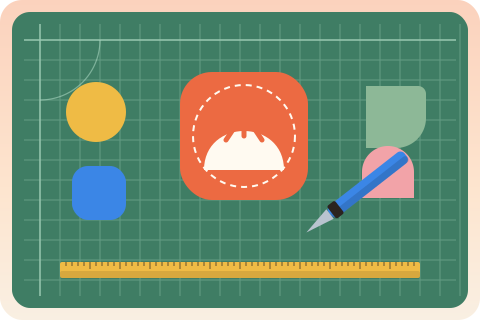
Android launchers crop icons into the shape the phone maker chose: a circle, a squircle, a rounded square or a teardrop. To make that safe, a maskable icon fills the whole square with a background, and only a centered circle with a radius of 40% of the icon size, the safe zone, is guaranteed to remain visible. Everything important must sit inside it.
The padding depends on the shape of your artwork. installkite measures it: it finds the visible pixel farthest from the center and computes its distance r as a fraction of the image size. The artwork is then drawn at a scale of 0.4 divided by r, never above 1:
// r: distance from the center to the farthest visible pixel, as a fraction of the artwork size
export function maskableScale(r: number, safeZone = 0.4): number {
  return r > 0 ? Math.min(1, safeZone / r) : 1;
}

maskableScale(Math.SQRT1_2); // 0.566: a full bleed square logo
maskableScale(0.5);          // 0.8:   a circle touching the edges
maskableScale(0.3);          // 1:     small artwork stays as it is
A square logo reaches the corners, at a distance of half the diagonal, about 0.707, so it shrinks to 56.6%. A round logo only reaches 0.5 and keeps 80%. When the source is already a tile, an opaque square with a logo on it, installkite treats the tile color as the background, measures only the logo, and lets the tile color bleed to the edges. Preview your result under every mask in the generator, with the safe zone drawn on top.
The apple-touch-icon
iOS uses <link rel="apple-touch-icon"> and ignores manifest icons when it is present. Make it 180 by 180 pixels, the size of the largest iPhone screens, and opaque: iOS renders transparent pixels as black and adds its own rounded corners. For a transparent logo, put it on your background color with about 10% padding per side; for a tile, use it edge to edge. See Add to Home Screen on iOS for the other tags.
Favicons
Browsers still request /favicon.ico on their own, so keep one at the root. Modern ICO files hold PNG images; installkite bundles 16, 32 and 48 pixel versions. Add an SVG favicon for sharp tabs at any zoom, which can even adapt to dark mode with a prefers-color-scheme media query inside the SVG:
<link rel="icon" href="/favicon.ico" sizes="48x48">
<link rel="icon" href="/icons/icon.svg" type="image/svg+xml">
<link rel="apple-touch-icon" href="/apple-touch-icon.png">Checking the result
npx installkite doctor opens every icon listed in the manifest, compares its real pixel size with the declared sizes, checks that 192 and 512 icons exist, warns about "any maskable" combinations and transparent maskable corners, and checks that the apple-touch-icon is 180 pixels and opaque.
Questions
What icon sizes does a PWA need at minimum?
A 192 by 192 and a 512 by 512 PNG with purpose any in the manifest, a maskable 512 icon, a 180 by 180 apple-touch-icon and a favicon. installkite generates ten manifest sizes so every launcher gets a sharp image without scaling.
What is a maskable icon?
An icon with a full bleed background and its artwork inside the center 80%, so Android can crop it into a circle, squircle or teardrop without cutting the logo. It is listed in the manifest with "purpose": "maskable".
How much padding does a maskable icon need?
Enough that the farthest visible pixel of the artwork is within 40% of the icon size from the center. A square logo that fills its canvas must shrink to about 56.6% of the icon; a round logo to 80%.
Can I use an SVG icon in the manifest?
Chromium browsers accept an SVG icon with "sizes": "any", and SVG favicons work in every current browser. Keep the PNG sizes as well: iOS and many launchers only read PNG.