
What installable means
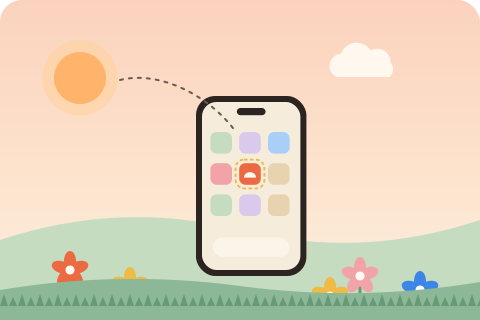
An installed website gets its own icon on the home screen, in the dock or in the Start menu, opens in its own window without the address bar, shows up in the app switcher and can be uninstalled like any app. Nothing about the website changes for visitors who never install it. The browser decides whether to offer the install, and it decides from a few files you control.
On Android and desktop, Chromium browsers (Chrome, Edge, Samsung Internet, Opera, Brave) show an install icon in the address bar and may fire a beforeinstallprompt event that lets your page show its own button. Safari on iPhone and iPad never prompts: the visitor installs through Share and Add to Home Screen, which works for any page but looks far better when the site provides the right icon and metadata.
The checklist browsers use
- A web app manifest, linked from the page with
<link rel="manifest">, that loads and parses as JSON. - A name:
nameorshort_name. The short name is the label under the icon and should fit in 12 characters. - Icons of 192 and 512 pixels with purpose
any. Most browsers also use a maskable icon when one is listed. - An app display mode:
standalone,fullscreenorminimal-ui. Withbrowserthe site is not installable. - A start_url on the same origin and inside the
scope. - HTTPS. Service workers and installs need a secure origin;
localhostcounts while you develop. - A service worker with a fetch handler, so the app opens when the network is gone.
Chrome also waits for a little engagement before it fires the prompt, so the button may appear only after the visitor has clicked or tapped on the page once.
Doing it by hand
The manifest is a JSON file, usually manifest.webmanifest at the site root. URLs inside it are relative to the manifest itself, so ./ means the folder it sits in:
{
  "id": "./",
  "name": "Acme Bakery",
  "short_name": "Acme",
  "start_url": "./",
  "scope": "./",
  "display": "standalone",
  "theme_color": "#e8590c",
  "background_color": "#ffffff",
  "icons": [
    { "src": "icons/icon-192.png", "sizes": "192x192", "type": "image/png", "purpose": "any" },
    { "src": "icons/icon-512.png", "sizes": "512x512", "type": "image/png", "purpose": "any" },
    { "src": "icons/maskable-512.png", "sizes": "512x512", "type": "image/png", "purpose": "maskable" }
  ]
}
Then link it, add the iOS and theme tags, and register a service worker from every page:
<link rel="manifest" href="/manifest.webmanifest">
<meta name="theme-color" content="#e8590c">
<link rel="apple-touch-icon" href="/apple-touch-icon.png">
<meta name="apple-mobile-web-app-title" content="Acme">
<script>
  if ('serviceWorker' in navigator) {
    addEventListener('load', () => navigator.serviceWorker.register('/sw.js'));
  }
</script>
The service worker needs at least a fetch handler, and to be useful offline it should cache your pages. The offline page guide walks through a worker that does that well, and the icon sizes guide lists every image you need.
Doing it in one command
installkite automates every item on the checklist. In the folder of a static site, or in a Vite, Next.js or Astro project, run:
npx installkite initIt reads the name, description, language and theme color from your home page, finds your logo, asks a few questions and writes the manifest, ten icon sizes plus maskable icons, the apple-touch-icon and favicons, a service worker that precaches your pages, an offline page and a 4 kB runtime that registers the worker and shows an install button. The head tags go into every HTML page between two marker comments, so running it again updates them instead of adding duplicates. Add --dry-run first to read a diff of every change.
Testing the install
Serve the site over HTTPS, or from localhost, and open it in Chrome or Edge. The Application panel of the developer tools shows the parsed manifest, the icons and any installability errors, and the install icon appears at the right of the address bar. On Android, open the browser menu and look for Install app. On iPhone, tap Share and check that the icon and name in the Add to Home Screen sheet are yours.
Before you deploy, run the audit:
npx installkite doctor                          # the files on disk
npx installkite doctor --url https://acme.example/   # the live site
Doctor checks every rule above, plus the icon files and their real pixel sizes, the service worker scope and whether the precache list matches your files, and prints a fix next to each failure.
Questions
Why does Chrome not show the install button for my site?
The usual causes are a missing 192 or 512 pixel icon, a display of browser, a start_url outside the scope, a page served over plain HTTP, or a manifest that fails to load. Run npx installkite doctor to see which rule fails and how to fix it.
Does a website need a service worker to be installable?
Chrome relaxed the rule in 2023 and now installs sites without one, but without a service worker the installed app shows an error page offline. Edge, Samsung Internet and older Chrome versions still look for one, so ship it.
Can every visitor install my site?
Chrome, Edge, Samsung Internet and Opera install sites on Android and desktop. Safari on iPhone and iPad installs through Share and Add to Home Screen, and Safari on macOS through File and Add to Dock. Firefox on desktop does not install sites.
Is an installable website the same as a PWA?
An installable website is the core of a progressive web app: a manifest, icons and a service worker. Offline support, an update flow and app shortcuts make it a good one.