
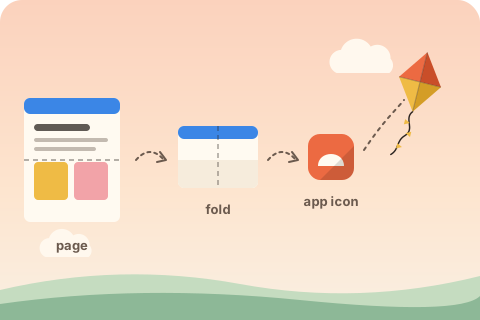
Three ways to turn a site into an app
When people say they want to convert a website to an app, they usually mean one of three things, and they differ a lot in cost:
- A native rewrite. Two codebases, Swift and Kotlin, store reviews for every update. Right for apps that need deep platform features; heavy for a content site, a shop or a dashboard.
- A wrapper app that loads your site in a web view inside a store package. It looks native in the store, but you still maintain the package, sign builds and wait for reviews.
- A progressive web app. Your website, plus a manifest, icons and a service worker. Visitors install it from the browser in two taps, updates ship the moment you deploy, and the same files work on Android, iPhone, Windows, macOS and ChromeOS.
For most websites the third route gets the result people actually want, an icon on the home screen that opens the site fast and full screen, with a fraction of the work.
What your visitors get
An installed web app launches from the home screen or dock in its own window, without tabs or an address bar when display is standalone. The title bar takes your theme_color, the splash screen uses your background_color and largest icon, and long pressing the icon on Android shows the shortcuts from your manifest, such as Order or Contact. With a service worker the app opens instantly from the cache and still works in airplane mode, showing a friendly offline page for pages it never saw.
The conversion, step by step
- Pick the app name and icon. A square logo of 512 pixels or more, ideally SVG, and a short name of 12 characters or fewer for the home screen label.
- Write the manifest with the name, colors, display mode, start URL, scope and icons. The manifest guide explains every field.
- Generate the icon set: ten sizes for Android and desktop, maskable icons that survive circular masks, a 180 pixel apple-touch-icon for iOS and favicons. See PWA icon sizes.
- Add a service worker that precaches your pages and assets and serves an offline page.
- Link everything from the head of every page and register the worker.
- Deploy over HTTPS and check the result.
installkite does steps two to five in one command and audits step six:
npx installkite init --name "Acme Bakery" --short-name Acme --icon logo.svg
npx installkite doctorTouches that make it feel like an app
A custom install button. Browsers hide their install entry in a menu. The installkite runtime listens for beforeinstallprompt and shows a small button, or turns any element with data-installkite-install into one, so you can put Install the app in your header:
<button class="btn" data-installkite-install hidden>Install the app</button>iPhone instructions. Safari has no prompt, so the runtime shows the three Add to Home Screen steps when the visitor taps your button on iOS. The iOS guide covers the details.
Shortcuts and screenshots. installkite turns the links in your navigation into manifest shortcuts and writes placeholder screenshots, which unlock the richer install dialog in Chrome on Android and desktop. Replace the placeholders with real captures; installkite doctor reminds you until you do.
Updates people notice. When you deploy, the worker downloads the new files in the background and the runtime shows Refresh to update, so nobody runs a stale version for days.
installkite.on('installed', () => analytics.track('app_installed'));
installkite.on('update', ({ apply }) => showBanner('New version ready', apply));Going further: the app stores
Once your site is installable you can also list it in stores without changing the site. The Microsoft Store accepts web apps directly. The Play Store accepts them packaged as a Trusted Web Activity, a thin Android shell that opens your site full screen and proves ownership with a .well-known/assetlinks.json file. The App Store does not accept plain web apps, so on iPhone the browser install is the way.
When a web app is not enough
Some features are still native only on some platforms: background location tracking, Bluetooth on iOS, deep integration with the lock screen or widgets. If your product depends on those, plan a native app. For a content site, a store, a booking tool, a dashboard or a documentation site, an installable website covers what users expect from an app icon on their phone, and you keep a single codebase that deploys in seconds.
Questions
Is a progressive web app a real app?
Once installed it has an icon, its own window, a place in the app switcher and an uninstall entry, and it works offline. It runs on the browser engine, so it reaches device features the web supports, such as notifications, camera, file pickers and sharing.
Can I publish my website in the Play Store or Microsoft Store?
Yes. Both stores accept progressive web apps: the Play Store through a Trusted Web Activity wrapper and the Microsoft Store directly. The site must be installable first, which is what installkite sets up.
Will converting my site to an app break it as a website?
No. Visitors who never install it see the same site. The manifest and icons are only read by browsers, and the service worker only changes how pages load when the network is slow or missing.
How much does it cost to convert a website to an app?
Nothing beyond your hosting. installkite is free and open source, and installing a web app needs no store account or review.